MagickVoice Help Center — Scheduling
Edit recurring schedule
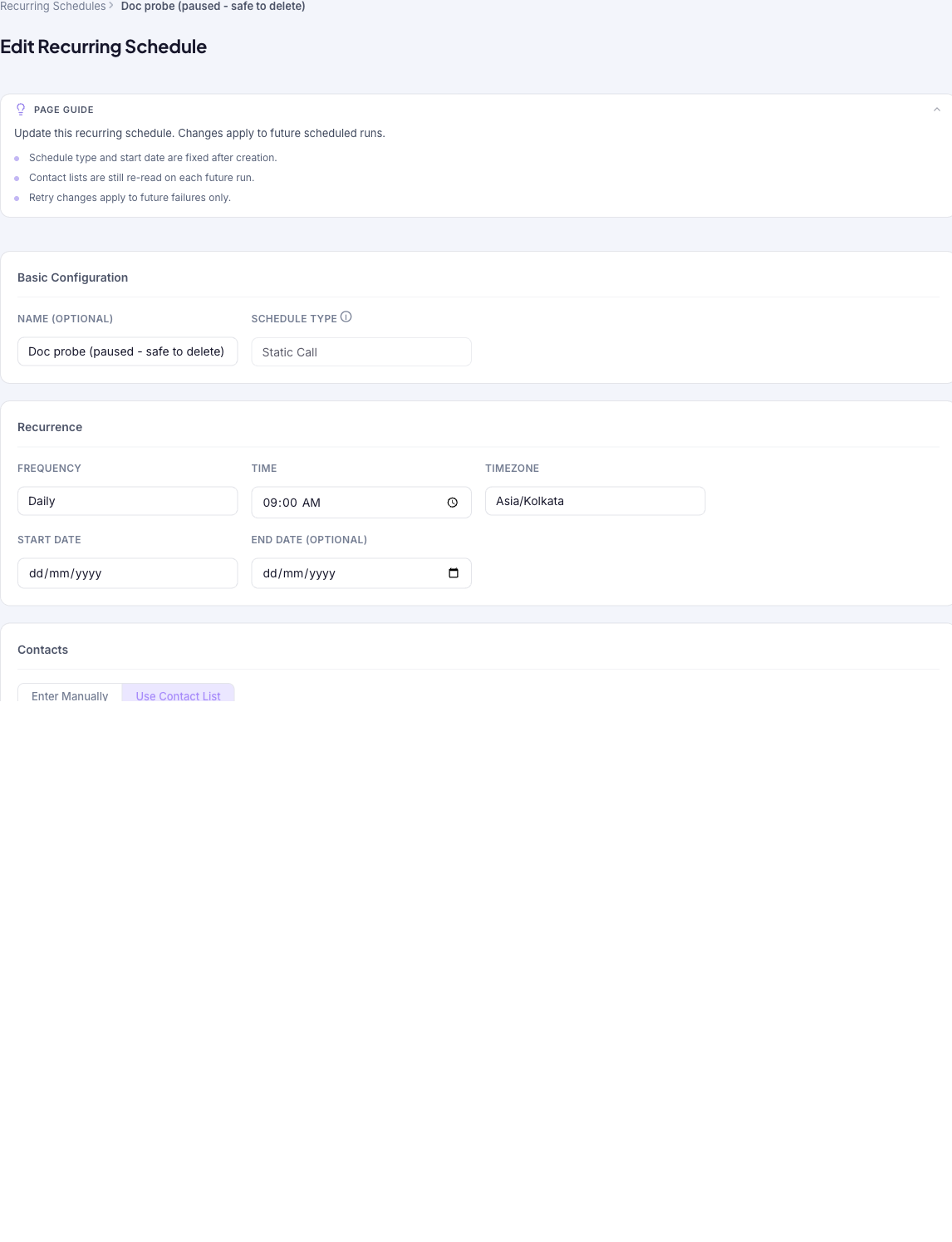
Update a recurring schedule using the same form as creation — change its name, cadence, recipients, content, or retry settings. Changes apply to future runs only; the schedule type and start date are fixed after creation and cannot be changed here.
Audience: Campaign schedulers · Page address: /app/recurring-schedules/:id/edit · Your admin may need to enable this feature
Common tasks
- Change the cadence, time, or timezone
- Update recipients or content
- Adjust retry settings
- Save changes for future runs
How to use this page
1. Open the schedule for editing
Reach the edit form from the schedule you want to change.
- Open the schedule's detail page from the Recurring schedules list, then select Edit.
- The form is the same one used to create a schedule, pre-filled with the current settings.
- Confirm you have the right schedule by its Name at the top before making changes.
2. Change what you can
Update the settings that are still editable after creation.
- Change the Recurrence — frequency, time, timezone, and (for weekly or monthly) the days — and the optional End Date.
- Update the Contacts (manual numbers or the contact list, which is still re-read on each future run) and the Call Configuration content.
- Adjust Retry Configuration. Retry changes apply to future failures only.
- Note the fixed fields: Schedule Type and Start Date are disabled and cannot be changed after creation.
3. Save the changes
Apply your edits to future runs.
- Select Save Changes. Changes apply to future scheduled runs — instances that already fired are unaffected.
- Back on the detail page, confirm the updated configuration and watch the next entries in Execution History.
- To stop the schedule instead of editing it, Pause it (temporarily) or Cancel it (permanently) from the detail page.
Tips and troubleshooting
- Use recurring schedules for repeating operational sends, not one-off campaigns.
- Review upcoming instances after editing a recurring schedule so you know which future sends changed.
- Schedule type and start date are fixed after creation — everything else can be changed.
- Changes apply to future runs only; instances that already fired are unaffected, and retry changes apply to future failures only.